From Flat Image to Immersive 3D Model
Turning a simple 2D picture into a full 3D model used to take ages. Now, AI can look at an image and figure out its shape, depth, and surface details. This means you can go from a flat photo to a 3D asset much faster than before. It’s a big deal for anyone making digital stuff, like game designers or artists. You can get a good starting point for a model from just one picture.
This new way of working lets creators focus more on the artistic side. Instead of spending days building a model from scratch, you can get a basic version in minutes. The AI does the heavy lifting by analyzing the image and building a 3D shape. This process is changing how things are made in the creative world.
The Core Technology Behind Conversion
At its heart, this technology uses smart computer programs to understand images. The AI looks at things like light, shadow, and edges to guess the object’s form. It’s like it’s trying to see the object from all sides, even though it only has one picture. This allows it to build a digital 3D shape, or mesh, that matches what it sees.
This process is pretty complex. The AI needs to figure out how far away different parts of the object are and what its overall volume is. It then translates this information into a digital model. The goal is to create a 3D representation that looks and feels right, based on the clues in the original 2D image.
Why This Technology Matters for Creative Workflows
This AI image to 3D converter tech is a game-changer for creative jobs. It speeds things up a lot. Product designers can quickly turn sketches into 3D models for review. Game developers can create more unique objects for their worlds without spending as much time modeling.
It makes the whole process more efficient. Instead of getting bogged down in repetitive tasks, creators can use their time for more important things, like refining the model or adding artistic touches. This means faster project completion and more room for creativity. It’s a practical tool that helps get things done.
Choosing the Right AI Image to 3D Converter
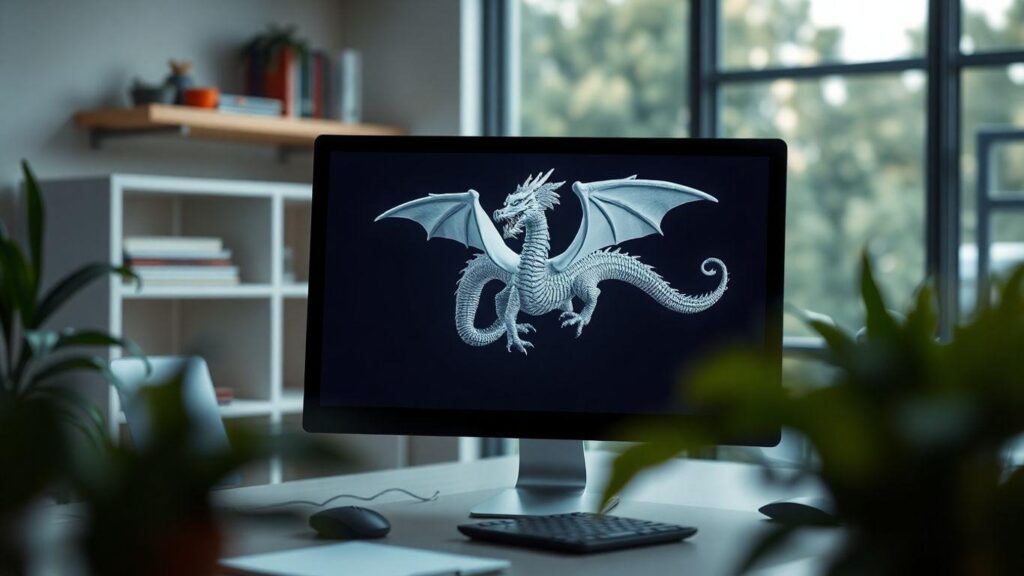
Exploring User-Friendly Platforms Like Meshy
When you’re looking to turn a 2D image into a 3D model, picking the right tool makes all the difference. For many creators, especially those new to the process, user-friendly platforms are the way to go. Meshy, for instance, is a popular AI tool that simplifies this conversion. It’s designed so you can just upload a picture and get a 3D model without needing complex skills. This kind of platform is great for getting started quickly.
Meshy offers a straightforward way to create 3D assets from photos. It’s a good example of how AI image to 3D conversion tools are becoming more accessible. The goal is to make the technology available to more people, not just 3D modeling experts. By focusing on ease of use, tools like Meshy help democratize 3D content creation.
This approach means you can spend less time learning complicated software and more time creating. The AI handles much of the heavy lifting, allowing you to focus on the creative vision. It’s about making the process of converting a 2D image to a 3D model as simple as possible.
Navigating the Workspace Interface
Once you’ve chosen a platform, understanding its workspace is key. Take Meshy’s interface, for example. It typically has a sidebar where you initiate the conversion process, often with options like “Image to 3D.” This is where you’ll upload your source image. The platform aims to make this step intuitive, so you don’t get lost.
There’s also a 3D viewer. This is where the magic happens visually – you see your generated 3D model. You can spin it around, check it from different angles, and decide if it meets your needs. It’s your main spot for reviewing and making initial assessments of the AI’s work.
Finally, you’ll likely find an ‘Assets’ section. This is like your digital filing cabinet, where all your generated models are stored and organized. Being able to easily find and manage your creations is a big part of a smooth workflow. A well-designed workspace helps you convert a 2D image to a 3D model efficiently.
Key Features of Advanced AI 3D Model Generators
Beyond basic conversion, advanced AI 3D model generators offer more control. Look for features that allow for texture generation directly from your image. This means the AI doesn’t just create the shape; it also tries to replicate the surface details and colors from your original photo.
Some platforms provide options for refining the generated mesh. This might include tools to smooth out rough areas or add more detail where needed. While the AI does the initial work, these refinement tools let you fine-tune the model to your exact specifications. This level of control is important for professional results.
Consider generators that support various export formats. Being able to export your model in formats like .OBJ, .FBX, or .GLTF is vital for integrating it into other software or game engines. The ability to convert a 2D image to a 3D model is just the first step; getting it into your project is the next.
Preparing Your Images for Optimal 3D Conversion
The Critical Role of Source Image Quality
The final 3D model’s quality hinges directly on the input image. Think of it like building a house; you need a solid foundation. A blurry or poorly lit photo won’t give the AI enough information to work with. This means more time spent fixing things later. Providing a clean, clear image is the first step to getting a good 3D model.
Essential Image Attributes for AI Analysis
AI needs specific details to create an accurate 3D model. It looks for clear shapes and distinct edges. Too much going on in the image, like busy backgrounds or harsh shadows, can confuse the AI. This can lead to weird shapes or missing parts in the final 3D output. The AI’s job is easier with simple, focused images.
Image Preparation Checklist for Better Outputs
Getting your image ready is straightforward but makes a big difference. Follow these simple steps to help the AI do its best work. A little effort here saves a lot of trouble down the line. This process helps the AI understand exactly what you want.
- Resolution: Aim for at least 1024×1024 pixels. More detail means a better model.
- Lighting: Use soft, even light. Avoid strong shadows that can look like part of the object.
- Background: A plain white or neutral background is best. This helps the AI focus on your subject.
- Subject: A single, centered object works best. Multiple items can confuse the AI.
- Cleanliness: No text, logos, or watermarks. These can get baked into the model.
Preparing your source image is like giving the AI a clear set of instructions. The cleaner and more focused the input, the more accurate and detailed the resulting 3D model will be. This step is non-negotiable for professional results.
This checklist helps ensure the AI has the best chance to convert your 2D image into a high-quality 3D model. Paying attention to these details is key for any successful AI image to 3D conversion project.
Leveraging AI for Rapid 3D Model Generation
Your Workflow for AI-Powered 3D Creation
Getting a 3D model from a 2D image is faster now. You upload your picture, and the AI does the heavy lifting. It looks at the image, figures out the shapes, and builds a 3D version. This means you spend less time on basic modeling and more time on making your project look good. It’s a big change from how things used to be done.
Think of it like this: you have a photo of a cool chair. Instead of spending hours building it from scratch in 3D software, you feed the photo to an AI tool. In minutes, you have a basic 3D model of that chair. This initial model is your starting point, ready for you to tweak and improve. This rapid generation is a game-changer for many creative tasks.
This process is designed to be simple. You don’t need to be a 3D expert to get started. The AI handles the complex calculations. Your job is to provide a good image and then guide the AI with some settings. It’s about making 3D creation more accessible to everyone.
Understanding Key Generation Settings
To get the best results from AI image to 3D conversion, you need to know what the settings do. These controls help you shape the final model. They let you tell the AI exactly what you need for your project. Getting these right makes a big difference.
Here are some important settings to look out for:
- Model Complexity: This affects how detailed the model’s geometry is. More polygons mean smoother curves and finer details, but also a larger file size. You’ll want to balance detail with performance needs.
- Texture Quality: This determines how sharp and clear the surface details are. Higher quality textures look more realistic, pulling more detail from your original image.
- Stylisation: Some tools let you pick an artistic style. You can go for photorealistic, cartoonish, or even a sculpted look.
Adjusting these settings is key to transforming a generic AI output into something that fits your specific vision. It’s where you add your personal touch to the AI’s work.
Stylistic Filters for Artistic Control
Beyond basic shape and texture, AI tools often include stylistic filters. These filters let you change the overall look of the generated 3D model. You can make a model look like a cartoon, a sculpture, or even a realistic render, all from the same source image.
This feature is great for matching the 3D asset to the aesthetic of your project. If you’re making a game with a specific art style, you can use these filters to ensure your AI-generated models fit right in. It saves a lot of time compared to manually re-texturing or re-modeling.
Using stylistic filters is straightforward. You typically select a filter from a list after the initial generation. The AI then reinterprets the model based on that style. This gives you a lot of creative freedom without needing advanced artistic skills. The ability to apply these filters directly in the AI image to 3D process is incredibly useful.
Refining and Enhancing Your AI-Generated 3D Models
The Importance of the Refinement Stage
The initial 3D model from an AI is a great start, but it’s rarely the final product. Think of it as a solid first draft. Real quality comes from the work done after the AI has done its part. This is where a good model becomes a professional one. You’ll want to look closely at the geometry and the surface details. This stage is key to making your AI-generated 3D model truly shine.
Enhancing Creations in 3D Software
Once you have your model, you’ll likely want to bring it into dedicated 3D software. Tools like Blender or Spline let you really shape things up. You can fix any weird bumps or holes in the mesh. This process, sometimes called retopology, makes the model cleaner and easier to work with. It’s about making the underlying structure better. A clean mesh is the base for everything else you do.
Material Customization and Background Design
After the mesh is sorted, focus on the surface. The AI does a decent job with textures, but they can always be improved. Look for blurry spots or areas where the texture seems stretched. You can often fix these in an image editor or by painting directly onto the model. Don’t forget the background. Adding gradients or other elements can make your 3D model pop. This is how you turn a raw AI output into something polished.
Real-World Applications of AI Image to 3D Conversion
Rapid Prototyping for Product Design
Product designers can now take a simple sketch or a photograph of a new concept and quickly generate a 3D model. This allows for faster iteration cycles and easier sharing of ideas with stakeholders. The ability to convert a 2D image to a 3D model means prototypes can be visualized and tested much sooner in the development process.
This technology speeds up the initial stages of product development significantly. Instead of manual sculpting, designers get a workable 3D asset from a flat image in minutes. This allows more time for refining the design and less time on the technical creation.
The AI image to 3D conversion process is revolutionizing how quickly new products can move from idea to tangible representation.
Populating Game Worlds with Unique Assets
Game developers and environment artists can use this technology to efficiently create a wide variety of assets. By using photos of real-world objects, they can populate game environments with unique items, increasing the diversity and richness of the virtual world. This makes game development more efficient.
This approach to asset creation is a game-changer for indie developers and large studios alike. It means less reliance on pre-made asset packs and more opportunity to build distinctive game worlds. The AI can take a 2D image and turn it into a 3D model ready for integration.
Game development benefits greatly from this efficiency, allowing for more detailed and varied game environments.
Architectural Visualization and Urban Planning
Architects and urban planners can transform site photos or building plans into detailed 3D models. These models are useful for client presentations, environmental impact studies, and overall urban planning. The AI image to 3D conversion makes complex visualizations more accessible.
This capability simplifies tasks like shadow analysis and helps communicate design ideas more effectively to clients and the public. It provides a clear, three-dimensional view of proposed projects. The ability to convert a 2D image to a 3D model is invaluable here.
The speed at which architectural concepts can be visualized has dramatically increased, allowing for more informed decision-making early in the planning stages.
E-commerce and Marketing Enhancements
Brands can create engaging 3D product views from standard studio photographs. This offers customers a more interactive and informative shopping experience, potentially boosting sales. Customers can examine products from all angles, leading to greater confidence in their purchase decisions.
This technology allows for dynamic product showcases that were previously expensive and time-consuming to produce. A simple 2D image can become a 3D model that customers can manipulate online. This makes online shopping more immersive.
| Application Area | Key Benefit |
| Product Design | Faster prototyping and iteration |
| Game Development | Increased asset diversity and efficiency |
| Architecture | Improved client visualization and planning |
| E-commerce | Enhanced customer engagement and experience |
Limitations and Considerations for AI 3D Conversion
While AI image to 3D conversion is a powerful tool, it’s not a magic wand. Understanding its limits helps set realistic expectations and guides users toward better results. The AI’s ability to accurately interpret a 2D image and build a 3D model hinges on several factors, and not all images are created equal for this process.
The AI needs clear visual information to work with. Complex scenes, busy backgrounds, or dramatic lighting can confuse the algorithms. When an AI encounters a photo with many elements or strong shadows, it might misinterpret these as part of the object’s actual form. This can lead to distorted shapes, unwanted artifacts, or even holes in the final 3D model. Think of it like trying to assemble a puzzle with pieces from different boxes – the AI gets confused.
Can the AI Handle Any Type of Image?
Generally, AI converters perform best with images of distinct, solid objects. Think of furniture, shoes, or simple sculptures. These have clear outlines and predictable forms that the AI can easily analyze. The AI essentially tries to infer depth and volume from a single viewpoint.
However, certain types of images present significant challenges. Objects that are very thin, like a single strand of hair or a delicate leaf, often lack enough visual data for the AI to reconstruct them accurately. The resulting model might be overly simplified or miss fine details.
The success of AI 3D conversion is heavily reliant on the clarity and simplicity of the source image. Providing the AI with a clean, well-defined subject is paramount.
Challenges with Transparent or Reflective Objects
Objects with transparent or highly reflective surfaces are notoriously difficult for AI to process. Think of a glass vase or a polished chrome faucet. These materials interact with light in complex ways, scattering and reflecting it unpredictably.
This means the AI receives inconsistent or misleading visual data. It struggles to determine the object’s true shape and depth when parts of it seem to disappear or change appearance based on the lighting. This often results in incomplete or inaccurate 3D models.
Achieving Realistic Textures from Source Photos
The textures on your AI-generated 3D model are essentially derived directly from the pixels of your original 2D image. This means the quality of the texture is directly limited by the quality of the source photo. A low-resolution or blurry image will produce a pixelated or indistinct texture on the 3D model.
Furthermore, lighting in the source image plays a big role. If your photo has harsh shadows, those shadows will be
The Future is 3D, and AI is Leading the Way
So, we’ve seen how AI is really changing the game when it comes to making 3D models. It’s not some far-off idea anymore; tools can take a simple picture and turn it into something you can use in 3D projects. This saves a ton of time compared to the old ways of building models by hand. Whether you’re designing products, making games, or creating art, this technology makes things faster and opens up new creative doors. It’s pretty exciting to think about where this will go next.